
Preview HOA Guardrail before your board commits.
Cedar Hollow Community Association is a sample association built for board evaluation. Browse real HOA Guardrail screens with sample lots, owners, governed meetings, agenda packets, minutes, records, payments, violations, documents, projects, and board activity.
No credit card required. Use sample data first. Invite homeowners later.
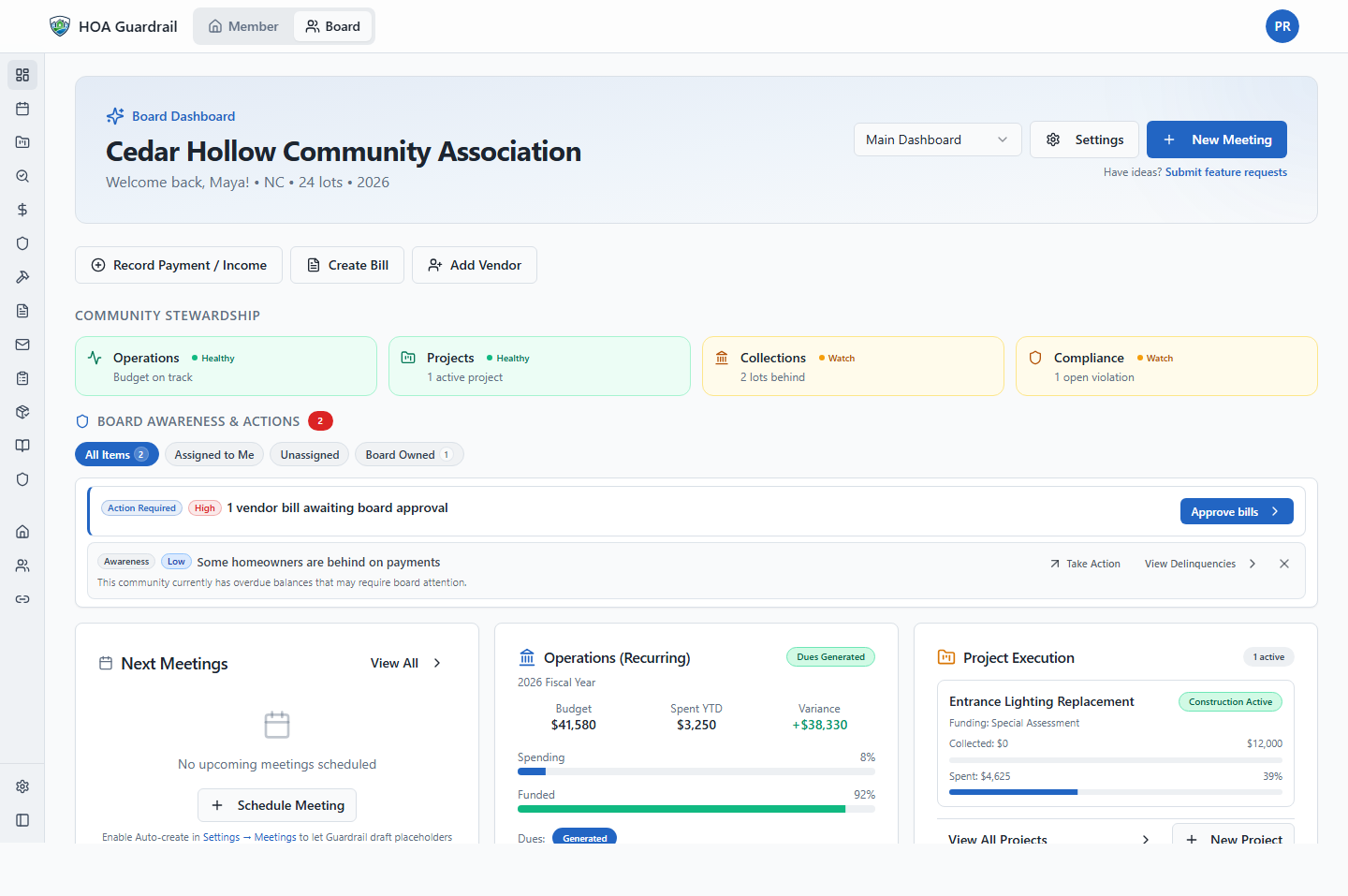
Board command center
Open tasks, meetings, records, payments, and owner work from one board queue.
No signup required to review the proof layer.
All screenshots use seeded sample data.
Use this page as the board-safe preview link.
Interactive sandbox
Want to click around instead of only watching?
The public Cedar Hollow page is a board-safe preview. Interactive sandbox access is kept separate so sample permissions, seeded records, and walkthrough context stay controlled.
Open the Cedar Hollow sandbox
Board members can review the same sample association with guided access. Start here if your board expects to log in and try workflows directly, including the meeting record package and annual meeting evidence trail.
Sample board logins
Password: CedarHollowDemo2026!
Guided task demo
Use this as the board's preview path.
This preview page is designed to be forwarded before a board discussion. Start with the page orientation, then let each officer review the workflows that matter to them.
This narrated walkthrough uses seeded Cedar Hollow product screenshots and sample data only.
Video chapters
Watch the preview by workflow.
These short recordings are generated from the seeded Cedar Hollow environment, so the board can preview workflows without live association data.
Run a board meeting and publish minutes
Narrated walkthrough of agenda packet materials, notice proof, chair guidance, meeting actions, draft minutes, and the final retained record.
Handle a violation hearing record
Narrated walkthrough of the due-process trail: notice, owner response, evidence, hearing packet, and decision record.
Approve and track a special project
Narrated walkthrough of project scope, vendor bids, selected baseline, special assessment funding, and invoice controls.
Board command center overview
Narrated orientation across the board dashboard, priority queue, upcoming meetings, and action areas.
Browse by workflow
What your board can evaluate safely
Each screen is a real product capture from the seeded Cedar Hollow environment, with sample data designed for board review.
Board command center
Open tasks, meetings, records, payments, and owner work from one board queue.
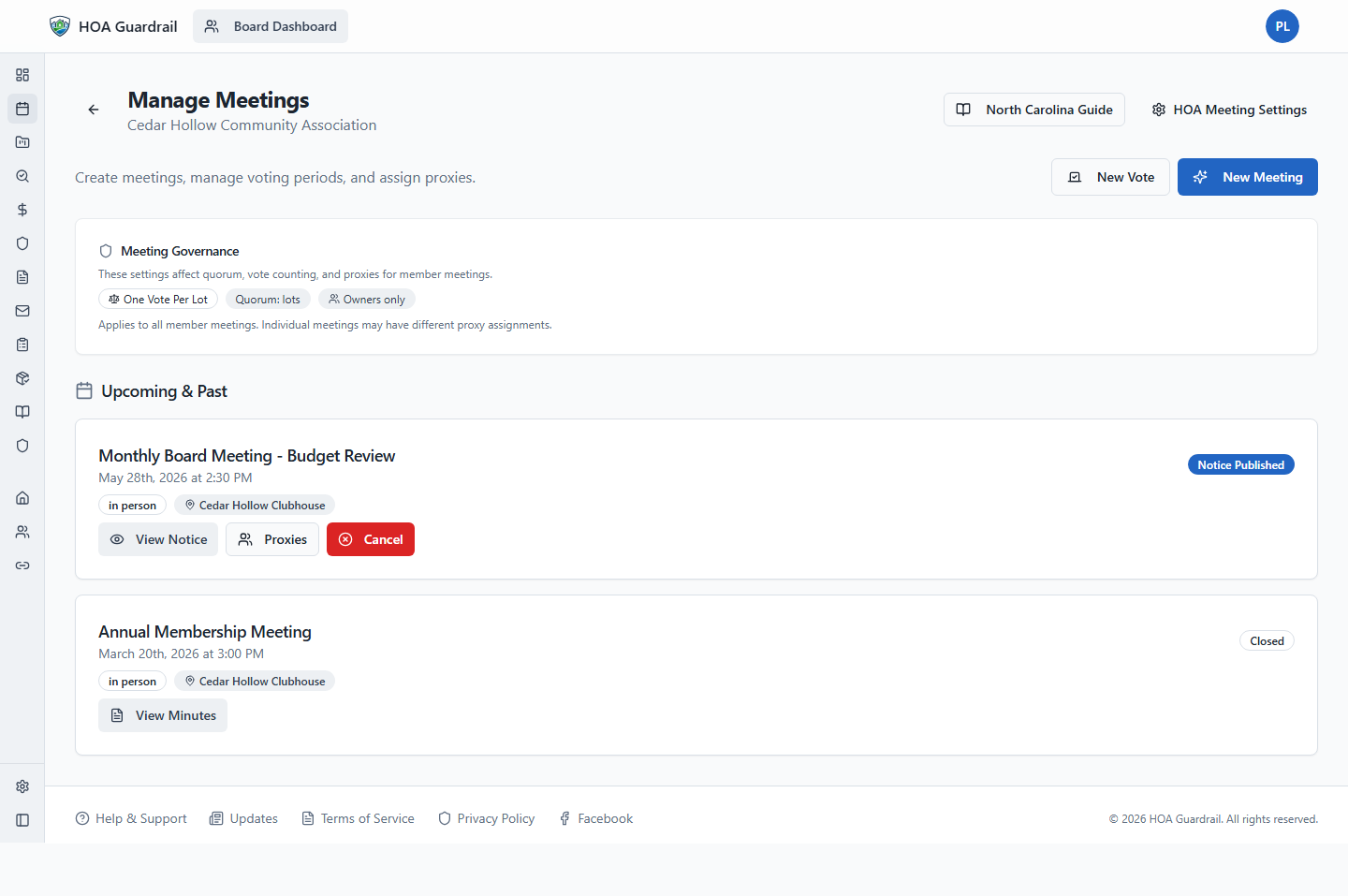
Meetings and minutes
Agenda packet, notice snapshot, quorum, motions, votes, chair prompts, minutes, and official-record designation stay tied together.
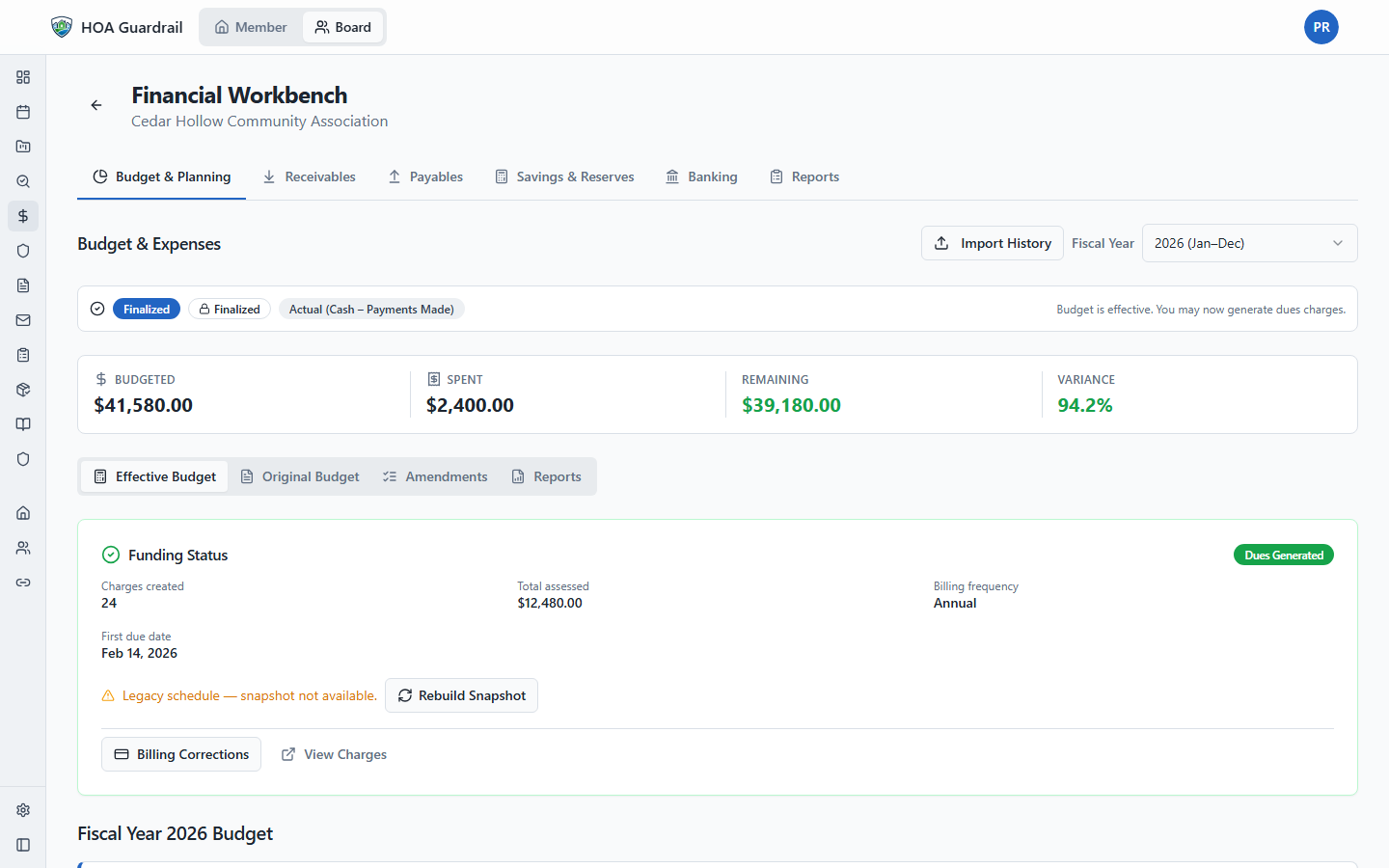
Budget planning and dues
Treasurers can review the fiscal year, budget plan, dues setup, owner charges, and funding path.
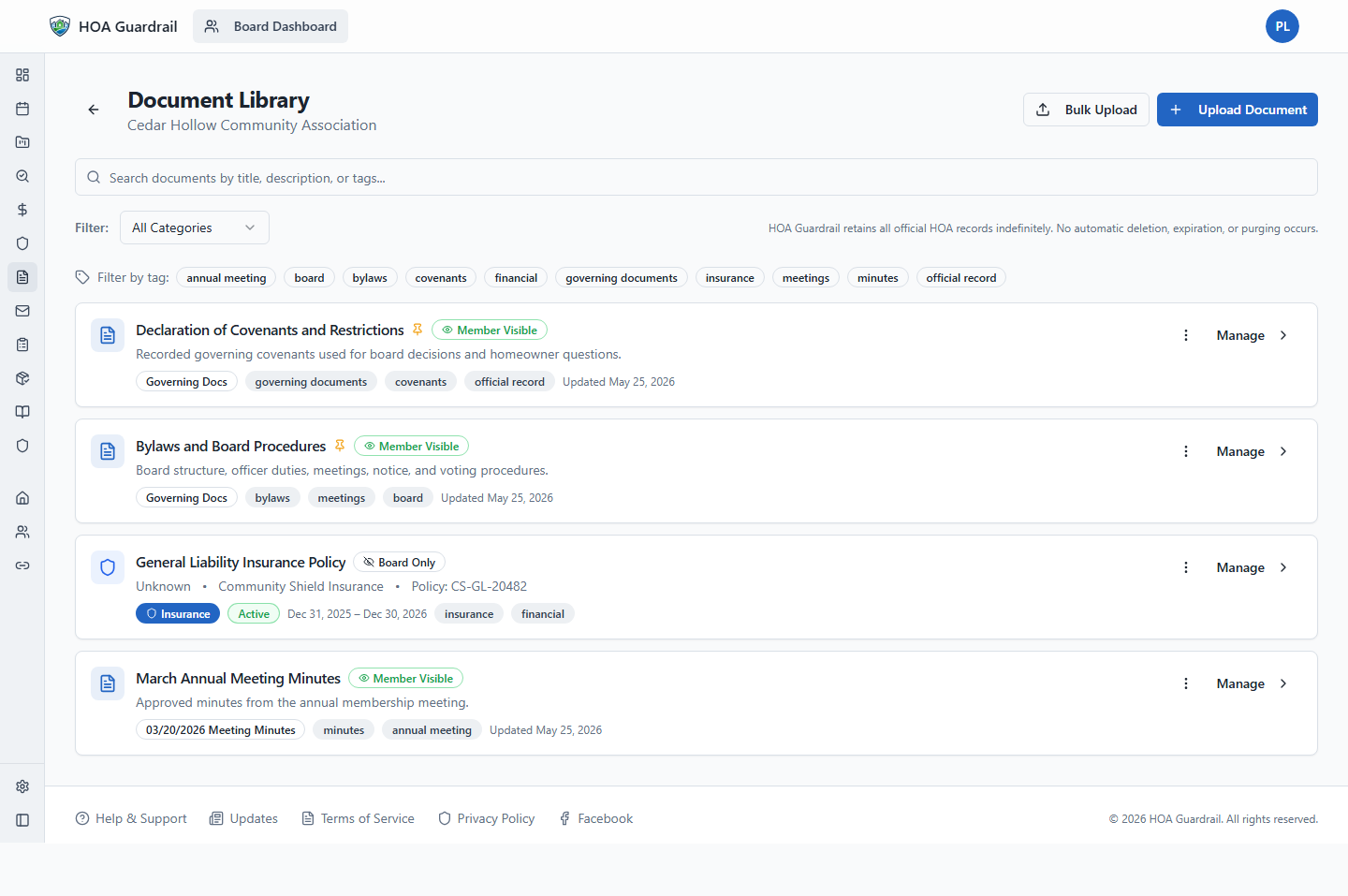
Official records
Governing documents, minutes, policies, contracts, and board materials are easier to find.
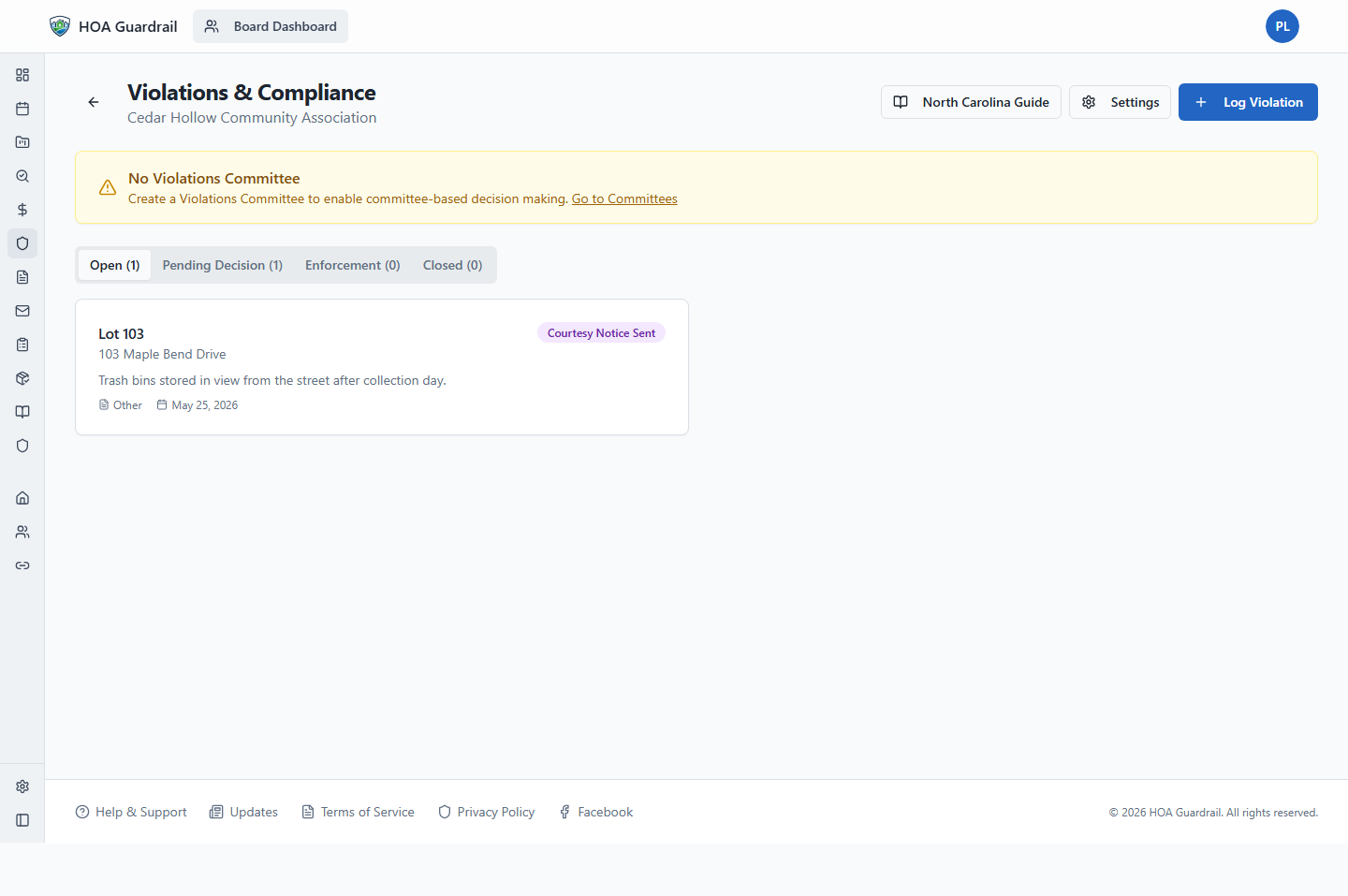
Violations workflow
A careful process for report, verification, notice, response, hearing, decision, and closure.
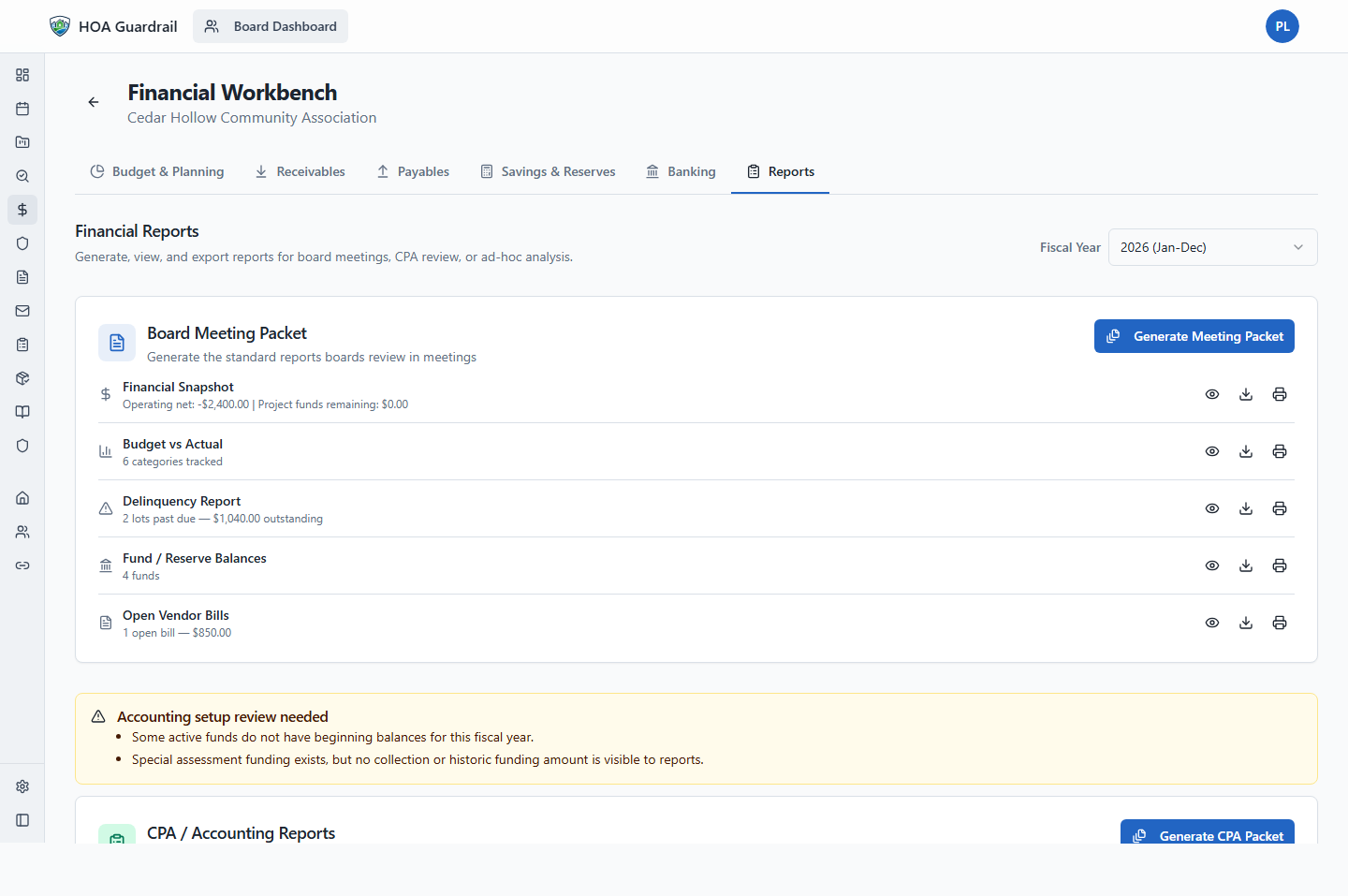
Board financial packet
Budget, receivables, fund balances, and reports are ready for review before the meeting.
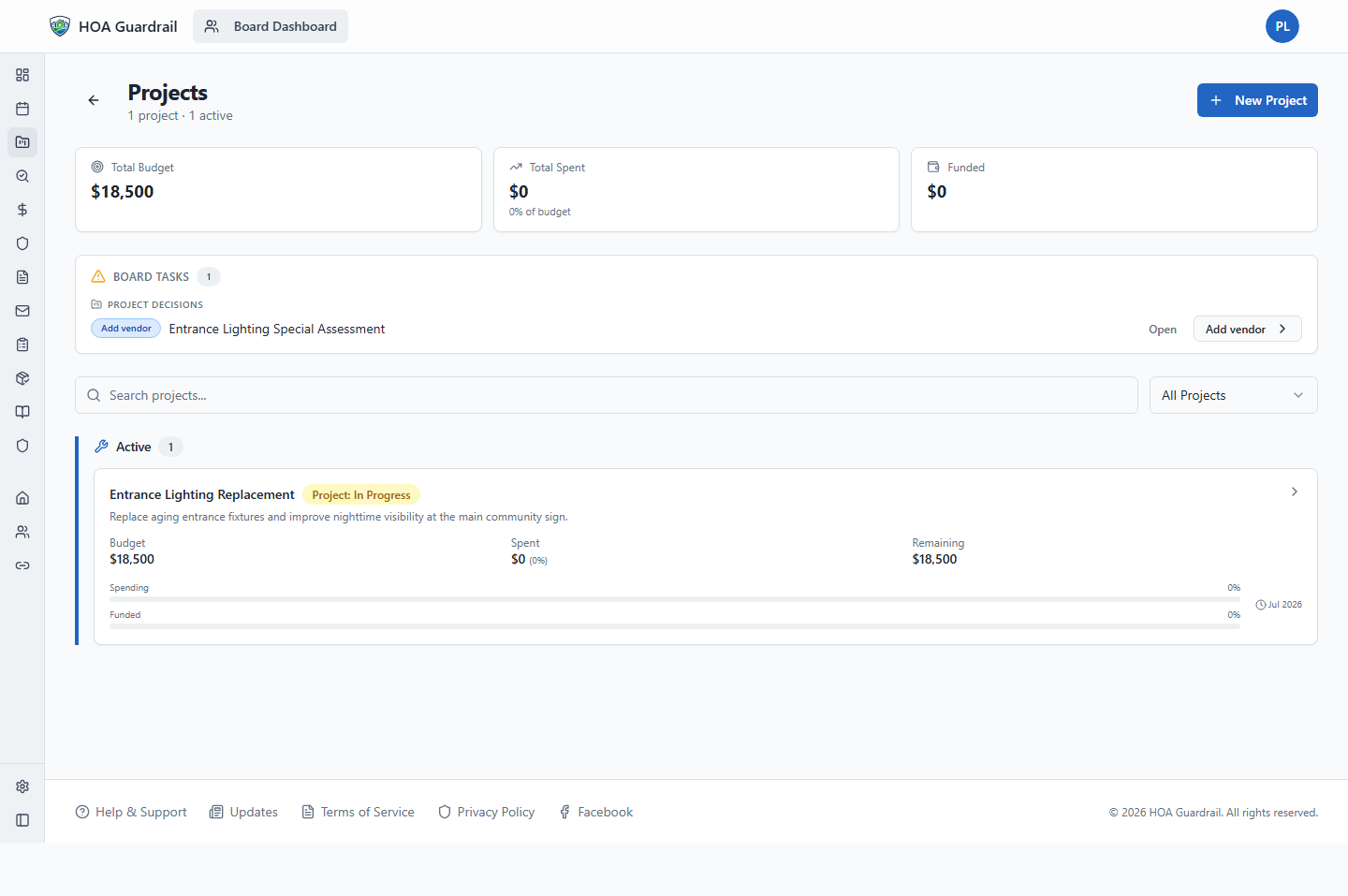
Projects and vendors
Capital work, bids, vendor records, and funding decisions stay attached to the project.
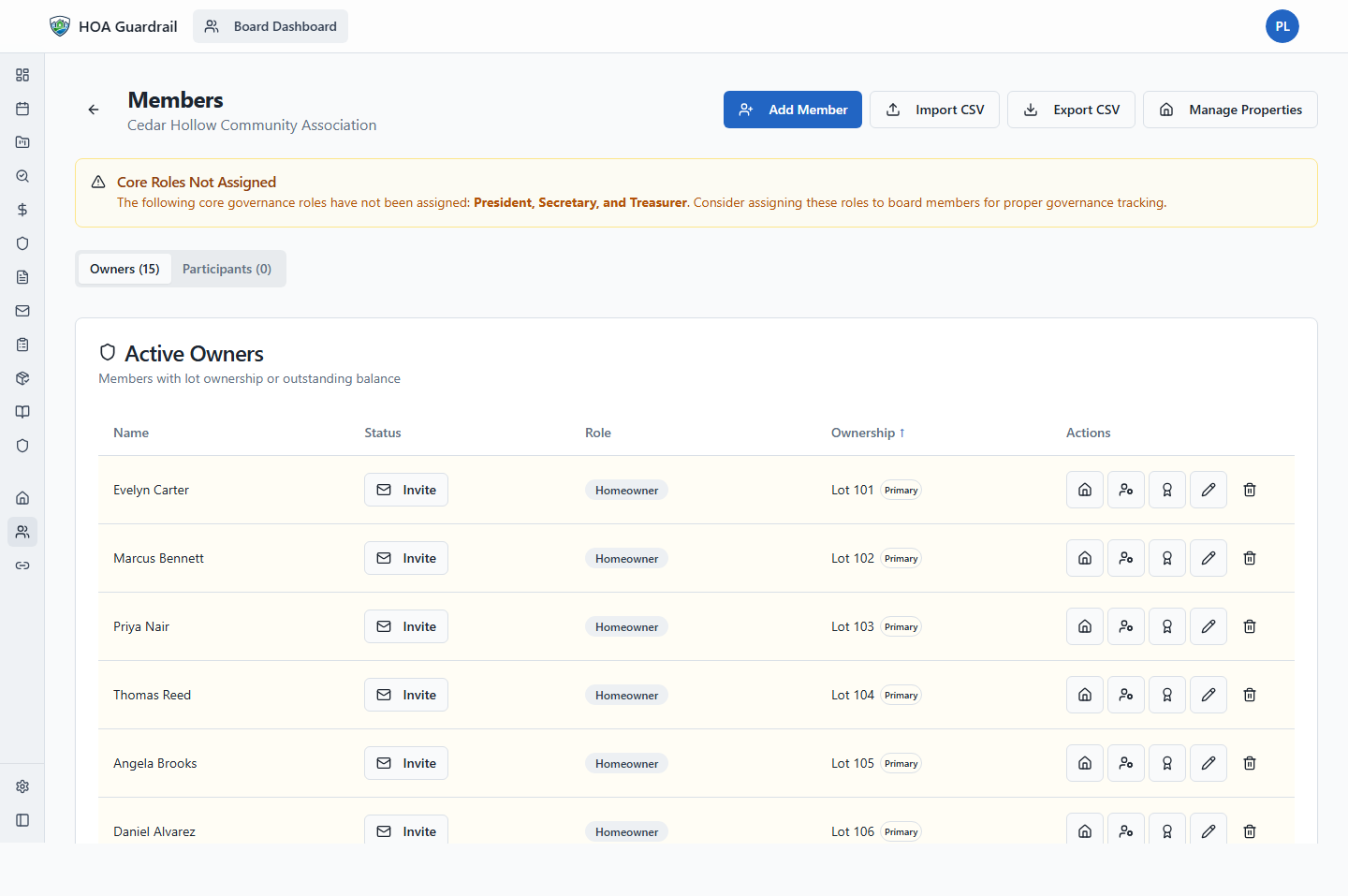
Owner and member records
Lots, owners, contact details, access, and member-facing workflows connect to the board record.
Want a printable board handout?
Send the board a short brochure before asking everyone to review the product or schedule a walkthrough.
Explore HOA GuardrailWant this tailored to your HOA?
Pick the workflow your board is most nervous about, and we will walk through the relevant sample-data preview first.
Request board walkthroughReady to turn the preview into a board decision?
Use the brochure and walkthrough to move from review to an adoption path your board can understand.